



Certification status
This page shows the status of IFC certification for a given software. As you can see, the list of IFC2x3 software is pretty long, all of them are certified in MVD called Coordination View 2.0. Though, with a pinch of salt I want to point out, that from the list of numerous IFC viewers/clash detecting software, I found only Solibri, DDS-CAD and usBIM to have IFC 2×3 Import certificates. I am especially concerned that the so-called Field BIM programmes that are used on tablets on a construction site don’t have the certificate. In the case of constructing from the model with incorrect model representation, this can cause a serious risk of errors on site.
The side of the IFC4 certification process looks less satisfying. There is a list of software that is certified for export, but it’s much shorter than the list for IFC2x3. And it makes plodding progress. As an example, popular Revit obtained IFC4 Reference View certification no earlier than the end of 2020 (with the release of Revit 2021). Reference View and Design Transfer are new MVDs introduced by buildingSMART for IFC4 (more about them here).
So far, the number of software certified for Design Transfer export has been full and round 0. We definitely have to wait to be able to round-trip our models between software. Unfortunately, no certification process has even started. I am actually not sure whether buildingSMART has finished the test specification.
Certification for importing IFC4 looks even worse. Only two software have obtained the certificate (Tekla and BridgeBIM). All the other popular IFC viewers and checkers are still in the certification process. This means, that after we open a model in the IFC viewer, we cannot be sure, whether the software has processed the data correctly. As a matter of fact, even if a designer performs a correct export to IFC4, a BIM Coordinator can find issues (for example in graphic representation) that haven’t existed in the “pure” IFC4 file.
Comparison of exports in IFC2x3 and IFC4
The project I am working on now is complicated and huge. We face huge performance challenges. There are over 400 IFC models that weigh in total over 30 GB. One Solibri federated model for all buildings weighs 2,4 GB. We heard that IFC4 improves curved object performance and generally better consumes data. Both the MEP models and data amount in each object are immense. So the project team decided to give it a try and test it.
To sum up. Our assumptions and expectations were:
- Better handling of geometry especially rounded MEP objects
- Better representation for openings in thin layers (issue Architect raised many times)
- Better data handling because of parametrisation
- Generally, IFC4 is thought to have better performance
We performed a set of exports and tests:
- ARCH was testing the behaviour of two different Revit to IFC exports: Reference View and Design Transfer. Compared them to usual IFC2x3 exports.
- MEP was testing the Solibri file size, opening time and response time for MEP and ARCH files exported to IFC2x3 against IFC4
- Then I performed the general check using Solibri and other IFC viewers. This encompasses both visual observation, data check and issue check. IFC2x3 against IFC4.
I will now describe the test result in each of the sets and provide general conclusions about the IFC4 format.
Architect test of IFC4 export
Exports to Design Transfer MVD were a total disaster. Design Transfer is thought to be an MVD that is used for transferring a model between various software and allowing for round-tripping of the model (kind of a Holy Grail of BIM design). Architects found numerous errors, mainly missing geometry. This was expected since Revit is not certified for Design Transfer MVD. I am only wondering why this option is available in Revit when it gives such poor results?
The architect team found Reference View MVD a much better setting. Reference View serves the purpose of model referencing, coordination and issue-checking (more about this). Nevertheless not without flaws. Finding of the team (both positive and negative):

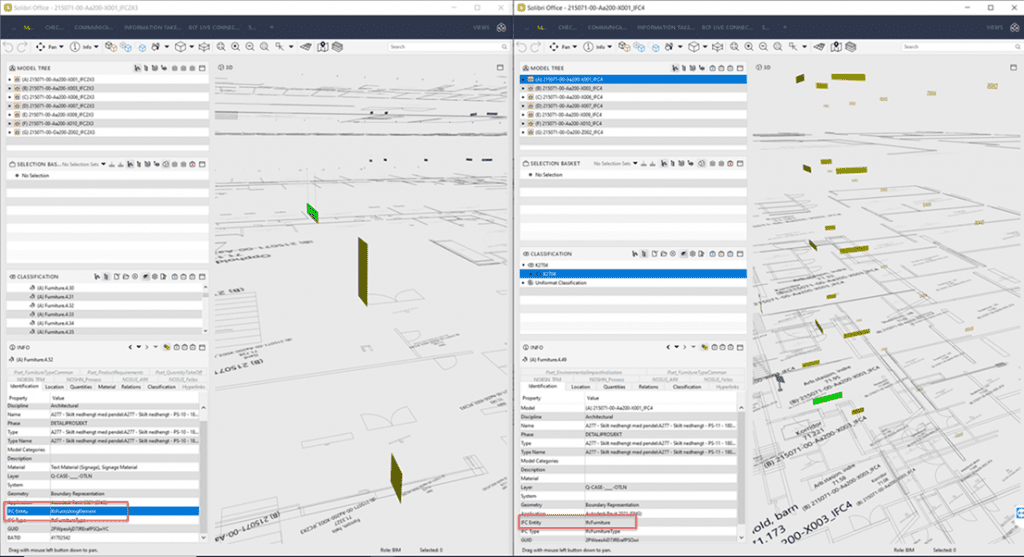
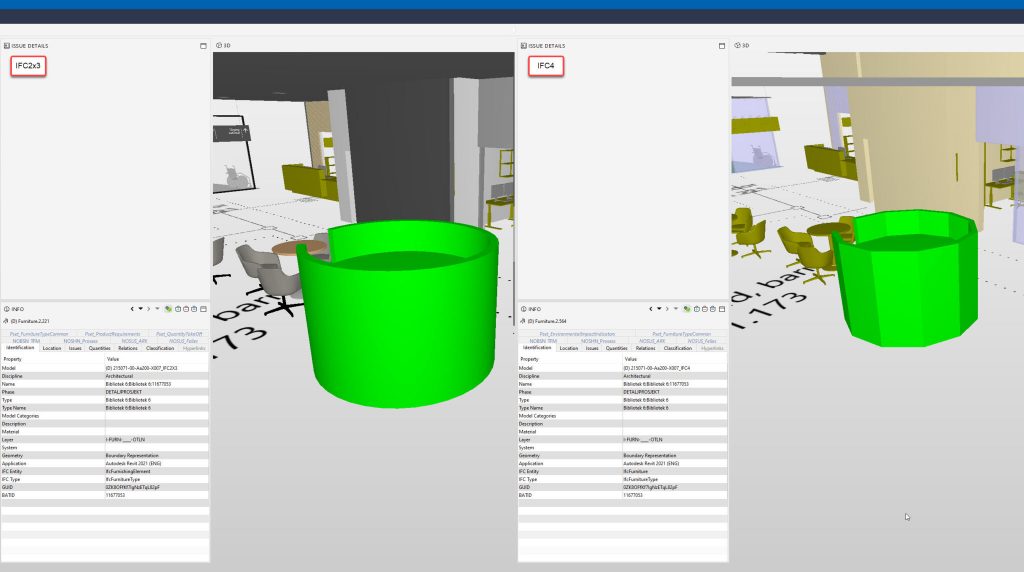
- Slight differences in IFC classes of objects (for example IfcFurniture becoming IfcFurnishingElement),
- Default Revit parameters and IFC Property Sets have changed names and some went missing.
- Project-specific properties were all preserved
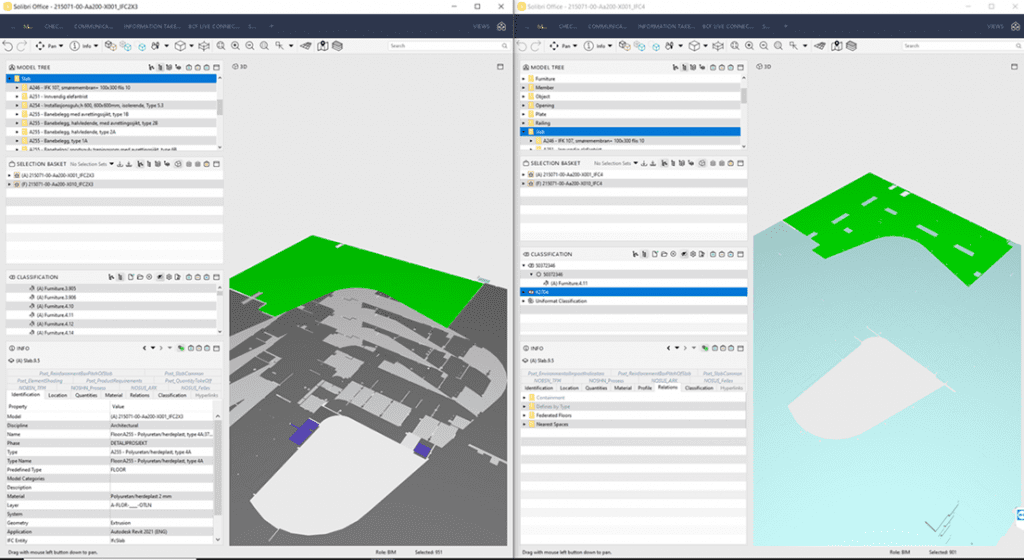
- Materials properties went missing or presented glitches. For example:
- Information Boxes were no longer orange, as they were modelled in Revit.
- Signage modelled with different materials for the text and background were exported as the same default material. That made it hard to read the text in Solibri (grey text on grey background)
- Openings in thin surfaces correctly exported in IFC4 versus IFC2x3 (also for door openings),

- Drastic improvement in file sizes, without any missing objects (around 40% file size reduction with the same number of elements processed by the exporter)
MEP test of IFC4 export
Tests performed by MEP engineers focused mainly on comparing the file sizes and performance of MEP and ARCH models in our IFC viewing tool (Solibri). At the time of the test, Revit MEP was still not certified for export, so we couldn’t rely on the export quality. The process has been finished quite recently (MEP export certified on 27.04.2022).
The main surprise was to discover that the non-graphical data in our project takes up approximately 80% of the file size. This gave us other ideas on where to improve performance in the next step (reduce properties).
As a result of the test, IFC4 shows better performance in presenting geometry – pure geometry files were approximately 30% smaller than IFC2x3. However, this gain is levelled out when we export full models – the IFC4 model weighs only 7% less than IFC2x3. Hence we can deduct, that IFC4 performs flat data structure in the same way as IFC2x3. As far as I can see it, the data should be structured differently to gain from using IFC4 (types properties to be exported as inherited property, not tied to every instance).
Measurements in opening time and response time gave differences smaller than measurement uncertainties (1-2%) so we concluded no improvements. But an important note is that having property structure aligned with IFC4 could give better performance results.
General check
I focused on checking Solibri’s import of versions IFC2x3 and IFC4. Firstly I performed visual observation of schema structure and properties. Afterwards, I performed properties checks and model revision comparison (IFC2x3 objects checked against IFC4 ones). As we already know, Solibri isn’t certified for IFC4 import, so some flaws might have been expected.
Visual observation
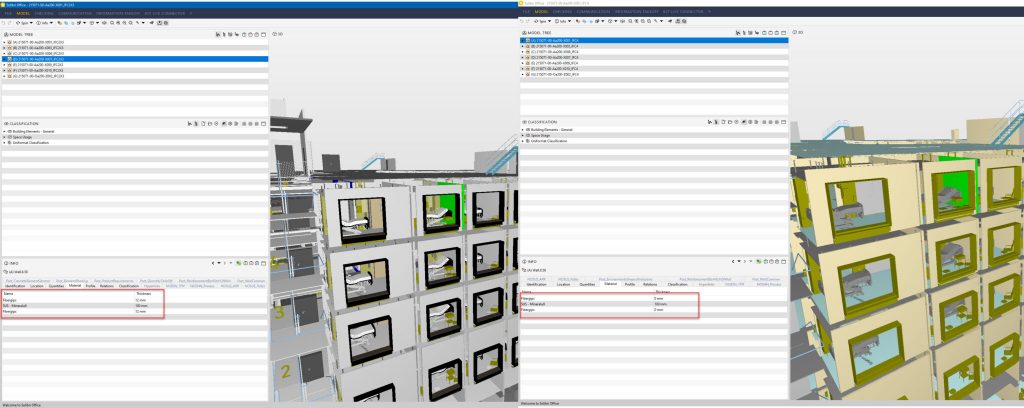
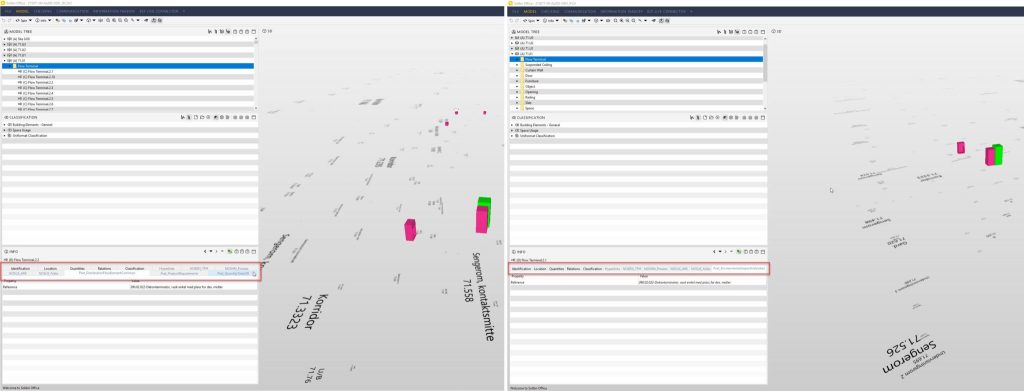
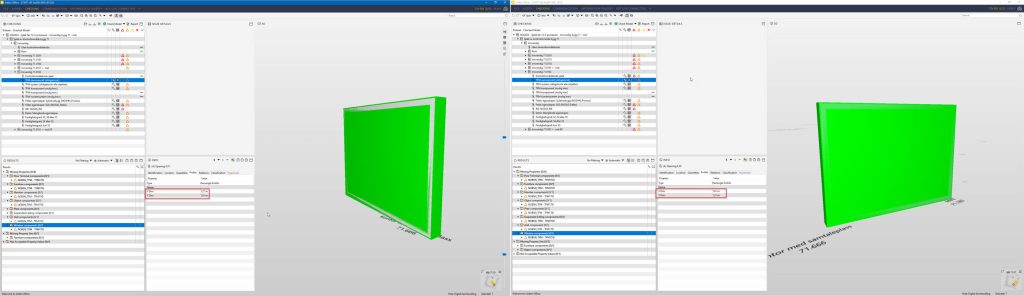
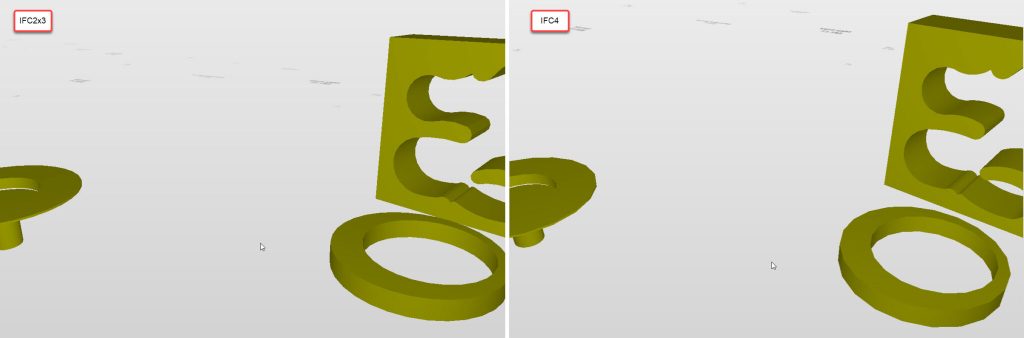
A closer look into properties revealed a few flaws with data representation:
- Incorrect material thickness is given (though presented correctly in other IFC viewers)





Rule checking
Performing clean parameters checks gave the same results for both files – that means, no project data has been lost. The same was for basic Architectural and spatial checks.
On the other hand, model revision comparison (IFC2x3 objects checked against IFC4 ones) gave some issues. Every model I compared, gave each time a few thousand modified objects. Most of the issues regards:
- Missing material type/name/thickness,
- Changed geometry (expected since the geometry generation method is changed)
- Changed in dimensions, area and volume. Sometimes slightly (<2% probably due to the changed geometry), but sometimes well over 100% (this is a clear error)
- Sometimes changes in type naming. Probably due to how Revit defines IFC4 export
Conclusion
We decided to stay with IFC2x3 until at least the time for Revit to obtain the MEP export certificate and Solibri to obtain an import certificate. The reasons behind our decision:
- We build directly from the models – we can’t afford any risk of losing the data that is transferred directly to the construction site.
- We model in a way not optimised for IFC4 – models are processed similarly slow as in IFC2x3.
- Software are not ready to export and import IFC4 in a satisfying way – glitches in a graphical representation that haven’t existed in IFC2x3 exports.
Summary – Is the industry ready for IFC4?
Answering in short – no. The industry is not ready for IFC4 yet. The main reason being software vendors lag behind in adapting the software to export/import IFC4 (confirmed by obtaining the certificate). This basically means, that their software is not prepared to transfer the data 100% correctly into IFC or to process the received IFC file. Why they are lagging (IFC4 is 9 years old!) is another question and a whole other discussion.
In the end, our projects still have to stick to IFC2x3 and try to get over the issues known from that format. The risk of incorrect model representation in IFC4 is too high compared with the gains that it gives.
Although I don’t reckon myself as an IFC4 expert and I would love to hear some examples of successful implementation of IFC4 on a project!